Showing posts with label Tuesday's Tip. Show all posts

Tuesday, August 1, 2017

Talk To Them Now - Tuesday's Tip


Talk to Them Now - Tuesday's Tip


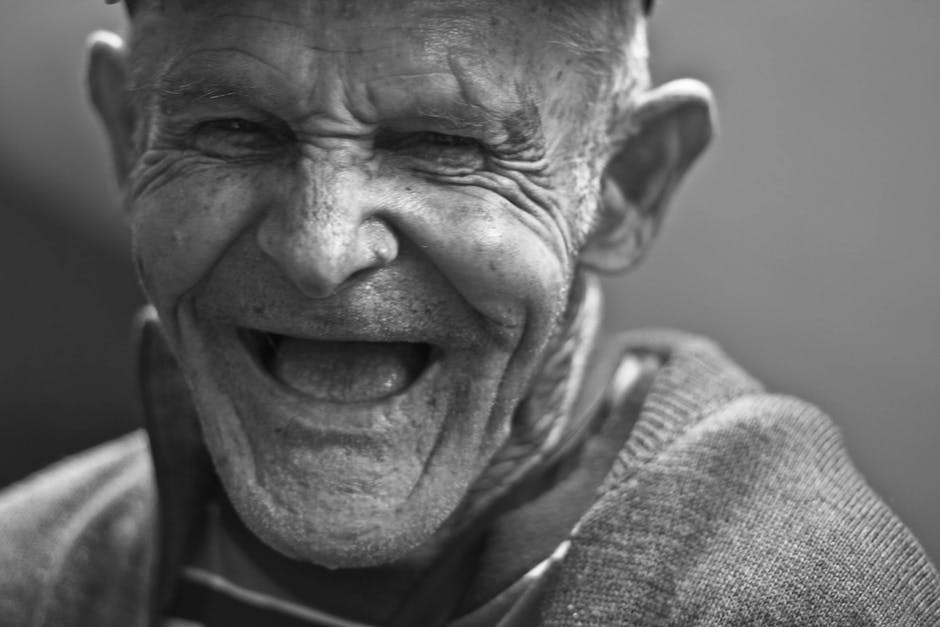
  One of the firs things I tell someone who is just starting out in their family history quest, is to talk to those they know in the family. And those who know more about your family are those you want to start with first. And that's the elderly.

  Starting out with the elderly is like a two-edged sword. You will gain wonderful insight and knowledge from these individuals who have seen history in the making! They have seen and met the people you will never know! They can relate things in history that you can never know of! But on the other side of that sword, is a second edge. Time is running out!

  I know, it's not something any of us like to think about. But it's the truth. Time is running out. Each day our elderly come closer to a time when either memory will be lost, or they will be gone. So, once you've decided to make this journey, that's why I urge you to start with them first.

  To make things easier, and simpler, I like to use a recorder. You can purchase a digital recorder for just a few dollars these days. They are unobtrusive, and you can interview without interruption of changing tapes, etc. (Yeah, that's how we did it in the old days, children! And I can even go back to when it meant reel-to-reel rather than tapes!And yes, I know, I'm ancient! But, listen to me! I know a few things!)

  Get them talking by asking some simple questions. When were you born? Where were you born? How many siblings? Where did you fit into the children - first, middle, last? Did you grow up in the country? City? Did you have chores to do as a child? What kind of parent was your mother? Father? What were your grandparents like? Did you have family reunions? Y

  Don't plan on setting a time limit. Let them talk as long as they will! But, please do watch for fatigue! If you notice that they are getting tired, please stop, and tell them you will pick up where you left off in a day or two.

  FamilySearch.org  has some wonderful information on their website. Here are two appendices that I really think would help you in in garnering this information.

Appendix B—Open-Ended Questions

This is only a preliminary list of questions you can ask in an interview. The kinds of questions will vary depending on your circumstances and the person you interview. Modify the questions or add to them according to your needs.  A very comprehensive listing of questions (hundreds) can be found in the article Creating a Personal History.
• What is your earliest memory?
• What were some of your family’s traditions?
• What was the happiest day of your life?
• Tell a story your mother or father told you when you were young.
• What places have you visited?
• What family heirlooms do you have?
• What childhood games did you play?
• Tell about a childhood hiding place.
• What were Sundays like when you were growing up?
• Describe your feelings or testimony of Jesus Christ. How did you gain that knowledge?
• What prayers have you had answered?
• Describe the most serious illness or accident that you have had.
• Do you remember any of your grandparents? Any great-grandparents? What were their names? What were they like?
• What were your siblings like?
• What trips or vacations do you remember?
• What special events took place in your neighborhood while you were growing up?
• What was your hometown like?
• What were politics like there?
• How many people were in your family? Describe each family member.
• What kinds of household chores did you do as a child? Which did you enjoy? Not enjoy?
• What aunts, uncles, or cousins do you remember? What were they like?
• Tell about family traditions for holidays and birthdays.
• Did you belong to any clubs or social groups? What were they like?
• What were your favorite childhood activities?
• Did you serve in the military? If so, where and when? What was it like?
• What special school memories do you have? Who were your favorite teachers?
• What challenges did you face as a child?
• What challenges have you faced as an adult?
• How did you first meet your spouse?
• How did your father spend his time?
• How did your mother spend her time?
• Tell about ancestors you know about—names and dates and any stories about them.
• What are the names of your children? What are their birth dates, where were they born, and what were the circumstances of their births, and their lives?
• Tell about some of the most notable people in your hometown.
• Tell about some of your neighbors as a child, as a youth, and as an adult.
• What changes have you seen in your lifetime in technology, society, politics, and so on?
• Tell about the house in which you live. Where else have you lived?
• Tell about the house you lived in during your childhood. Do you remember addresses or phone numbers?

Appendix C

When recording an interview, regardless of the format being used, it is important to respect the person’s personal rights of privacy. Most people will not mind you sharing the content of their interview with you. However, it is always good to make sure that you have the interviewee’s permission to share their comments with others.
Below is a sample of a contractual agreement you could use when interviewing a family member. The purpose of this contractual agreement is to inform the person being interviewed that the content of their interview may be shared with others. This could be in written from, such as a written history that has been published or photocopied. Or it could be posted in electronic format on a family website on the internet.

I_________________________________(name of the person being interviewed), hereby give my
permission to____________________________ (name of the person conducting the interview)
to use the transcript of the interview I took part in on _____________ (date the interview took place) for any purpose, including sharing the text, audio, or video recording to interested family members, historical societies, universities, or published Web pages.
____________________________________________________________ Signature of person being interviewed
____________________________________________________________ Signature of person conducting the interview

****DISCLAIMER: The two appendices above are taken from "https://familysearch.org/wiki/en/Creating_Oral_Histories", 
  I do hope that you find this information helpful. You can read more about obtaining those much needed interviews on the FamilySearch.org website.

  If you have found this information helpful, please let us know in the comments below. And don't forget to share this article on your favorite social media site! Share buttons are located to the left of this article.

Tuesday, July 4, 2017

Tuesday's Tip - Take it With You

Ever wish you could bring your family tree with you to your family reunion? Well, there are a number of ways you can bring it, even if you have a LARGE file.

If you are lucky enough to have Wi-Fi connection where you are having your reunion, and most venues do have this available these days, you simply bring a laptop, tablet, or even your cell phone, and connect to the Internet. there you can view your family tree online if you have posted it to a website for safe keeping.  But what if, like me, your reunion is usually held in a rural area, where even dial-up connection is not available?

Well, one way you can bring it, is simply on your laptop. Even a large file can be saved to your laptop. Or, you can save it to this handy, dandy thumb drive.
Simply plug it into your USB port, and you can view it. Why do I mention this, when you will still need your laptop to use it? Well, simply because some individuals don't keep their digital records and photos on their hard drives. I don't know about other people, but my digital records are so huge that I keep them separate from my hard drive on an external 2-TB hard drive. I know what you're going to ask next!

So, how do you put those huge digital files on a single thumb drive? Well, it all depends upon how large your files are.  So how big of thumb drive can you get? I have searched high and low, and the absolute best place I have found to purchase a 2 TB thumb drive is on Amazon. Simply type in 2 TB thumb drive in their search window, and you will find them as economic as less than $10, and greatly more expensive at over $1100. I would go for something with a reliable name like Seagate, or Toshiba. If you are planning to keep your digital files on a thumb drive permanently, I would probably plan on getting a Kingston Security thumb drive. This can cost you upwards of about $1400, but is definitely worth a consideration if you are protecting precious digital records and irreplaceable photographs.

You can also bring hard copies of your files, rather than your laptop or thumb drive. For me, that would equal approximately 150 3-inch binders! But, someone might want to look through all of those notebooks!

You might also bring a condensed version, sans copies of records or photographs. This might be easier to carry. But even printed out, without records and photographs, my files would be well over 8,000 pages. Or about 10 large 4-inch bound books. A bit daunting.

I find it much easier, to simply load my laptop into the car, and bring along a thumb drive with my photos and records. The genealogy program I use is fully searchable by name, date, or location. I can assist anyone who needs information directly from there.

You might also want to bring along some blank data disks (CD disks) to burn copies of records for individuals who might want them. Or ask those who want to get copies of records to bring their own thumb drive. This would allow you to share your files if you choose.

One other hint, which I have used many times in our family reunion, is to set up a slideshow, that runs in a continuous play mode on my laptop. When I am not available to show individuals photos, they can always stop by the table and watch as the slideshow plays. Many are excited when they see photographs of those who have passed on as they play.

I also, usually, keep a list of names and addresses, of those who would like complete copies of my files, which I am happy to share with them in a gedcom file, as most genealogy programs utilize this type of file. You can choose to include photos and records if you like when preparing your gedcom file. This file can be compressed (zipped) and reopened when it reaches its destination.

I hope this helps as you prepare to share your files at your family reunion!

Tuesday, June 13, 2017

Tuesday's Tip - One of My Favorite Sites For Research

Wikipedia.org

Have you ever utilized Wikipedia.org for researching an ancestor?

You haven't? Well, why haven't you?

I have used this site sparingly, until this year. The main reason I was reluctant to use it, is because anyone can add to, or detract from, information placed on the site. So, I have always looked at it with trepidation. And I still do! However, I have found information regarding several of my ancestor's on this site, and then due to information listed here I was able to verify it with either local records, or with subscription sites.

I have found that this site gives me a great deal of information, and while I have been hesitant in the past, I am ready, now, to recommend it to you.

Here I have found information that was wickedly scandalous for some of my ancestors. And while I made notes in my notebooks, and not in my genealogy program, I was able to search through records and uncover some really remarkable things! (For instance, one my ancestors, along with her son, and a nephew, angered King Henry VIII, and he had them locked in the Tower of London, and later beheaded. And another was locked in the Tower, but was later allowed to go free as she had once assisted the King with a certain wife of the King, as he courted her, and so feeling generous, and because of her advanced age, he released her, and restored part of her lands and title back to he
I also found an uncle who ran for the US Senate and was able to provide proof that he did actually win the election. There was no one left that was living at the time, and the living brothers and sister were only able to tell me that they knew he was "in to politics".  To actually find records that supported this, was a great find! And I did it all because of the little knowledge that Wikipedia gave me.

I again remind you, if you use Wikipedia, please don't accept it as gospel! Instead, use that info as a jumping board to assist you getting into records you need to find to provide proof. The really fabulous thing about Wikipedia, is that most contributors have listed references, and their sources. So, finding the information won't be that hard to do. And once you have the source and information before you, then you can add it to your family tree program!

Why not give it a try? I think you'll find it very helpful!

Tuesday, May 23, 2017

Tuesday's Tip - Use a Dehumidifier


Here you can see some of my prized genealogy books that were nearly ruined in the last year.

I thought my study felt damp, but DH couldn't seem to find a reason why. That is until he opened up the closet to take a peak in there. Seems the hot water heater is actually behind a panel in the study closet. I am not electrically intelligent, so I can't begin to tell you what was wrong with it, but for some reason it wouldn't not shut down when the water got hot. It kept heating. The result was the steam was venting out into the closet, and seeping into my study!

That steam sent so much water into the air that once it was fixed, we discovered thick mold on almost every book in the room! Papers were limp. (Thank goodness I had all of my records in archival sleeves, because those weren't affected at all! Take that as a plug to always use archival sleeves for your important records!)

I will tell you, the books are now all free from that nasty green fungi mold. And you might ask how I managed to save them?

Well, I came across a wonderful article on biblio.com (you can read it here). As you can tell from the article, denatured alcohol saved my precious books! I was so happy!!! (And I'm still doing the Happy Dance! Oh yeah...Go me...Oh yeah...Go me!)

I purchased a small dehumidifier after the water heater fiasco. And that has helped preserve my books as well. (You wouldn't believe how much moisture is removed just on a regular day, but when the humidity is up outside who would think it wouldn't get so high in here as well!) But it does. In the summer, I have a window air-conditioner that helps get some of the moisture out as well. So, I feel blessed to have a double action going on in here!

Make sure that the room that you are storing research books, or photo albums, or your precious research, is kept dry by use of a dehumidifier, or keep an oscillating fan going so that it blows across the books or research and prevents mold or mildew buildup. And check your books frequently so that if you should have this problem, you will catch it in time!

Do you have a passion for books? If so, you will want to read the article on biblio.com to protect them!

Now, I have a question for all of you? Do you use any kind of organization for your books? Do you group them by subject? By author? By genre? Dewey Decimal System? Let us know in the comments what kind of system, if any, you use?

I put my books on the shelf by genre, and then I alphabetize them. (Well, I have a pretty large collection of books, that seems to grow every few days! LOL) It helps me a lot when I'm doing research, as I can go immediately to any book I know.

Do you keep a log of the titles and authors of your books? Do you write down the names of friends or colleagues who borrow your books? There are some great forms to print online that will help you.
I haven't always kept a log. But I do now. It is on Goodreads.com . Which I absolutely love. Because there I not only have the books I read, but my input on them, and I can even look up the authors of present day writers and find out about them. It keeps me on track. And it helps me make a goal. This year, my goal was to read 52 books for 2017. It is only May, and I have already completed 37 of the 52! So I'm actually ahead of myself!

Do you have a favorite genre of book that you enjoy reading more than any other?

I don't. I just love to read to learn. I read a lot of biographies. I enjoy anything that can help me with genealogy! I enjoy some romance. I read Christian materials (I am a licensed minister in this state.). I am kind of odd, in that I enjoy reading travel guide books. And even more than that, I enjoy reading technical manuals. When I was married to my first husband, when he first went into the military, we had no money for books. We didn't have a car. So I couldn't get to a library, because public transportation didn't run in that direction. So I was without books to read! I reread the few I had brought with me to our tiny 2 room apartment. And when I was about to read those books for the 4th or 5th time, I started grabbing soup cans, and bean bags, and even macaroni and cheese boxes, just to find something, anything, to read. (I met an old cowboy in Texas; he had a whole library of westerns; I had a whole library of romance novels. We swapped books 4 or 5 at a time. He introduced me to Louis Lamour, Max Brand, Ron Hanson, Larry McMurtry, Dee Brown (amazing books on American Indian History, he wrote "Bury My Heart at Wounded Knee". Broke my heart!), and of course the great Zane Grey! And so many others! I usually have any where from 2 to 4 books in various rooms of the house. The books don't leave those rooms, and I mark my place and read some more the next time I go into that room. DH thinks it's impossible to read 3 or 4 books at the same time. But I find it quite relaxing, and challenging!

Do you mark your place with a bookmark? Or do you turn down the corners of a page? (Shame on you if you do that! You weaken the fibers of the page doing that. Always use a bookmark. And if the book is written prior to 1965, be sure to use an acid-free book mark.)

Protect your precious books. Whether you have them in hard copy, or in digital format. (Back up your ebooks monthly!) And you'll have a library worthy of passing on when you are ready to do that.

Do you shop flea markets and garage sales for books? Do you shop in used book stores? I do all three. I was very lucky to find a first edition of 'Alice Through the Looking Glass' that I gave to my Mom one year for her birthday. (Alice in Wonderland was her favorite story!) you never know what you'll find.

Do you enjoy the smell of old books? That's the whole reason why I love to go and spend hours in a used book store! DH and I can go in a used book store and be lost for hours! We come out having spent $2-$300 almost every time!

Do you have a hobby you enjoy more than books? Let us hear from you!

Oh, and what book am I reading in the study this evening? The Writing Desk by Rachel Hauck. Excellent read so far!

Tuesday, May 16, 2017

Tuesday's Tip - Binders or Digitize

Tuesday's Tip
Binders or Digitize?


Nothing can be more frustrating, especially when you first out working on your family's genealogy, than trying to second guess yourself. "Am I doing this right?" Used to always be my mantra. Always afraid that I would lose something. Or that I would file it wrong, and never be able to get it back!

Well, about everything that could possibly go wrong with your genealogy journey probably happened to me, at one time or another.

At one point, I was printing out vast reams of paper, trying to get every article, document or photograph I could find regarding my family genealogy. Then I became paranoid, as I was simply putting everything into bankers file boxes (you know the kind that are knocked down and you fold and crease them into a somewhat file box shape?)

I thought, well, I'll start going through those papers (when I had about four or five boxes full of loose papers and copies) and put them in binders. So, I ordered in a bunch of 5-inch binders. And I simply started out punching holes in the pages. I didn't get too far, (thank goodness), that I thought maybe I should digitize these papers before I put them into the binders. So, back to the scanner, and I began scanning.

Before I knew, I learned about printing onto acid-free archival quality printing paper, using quality inks. Most of my printing had been done on plain, ordinary printing paper. So, back to the office supply store. As I scanned and saved papers to my computer, I also reprinted them, and realized, I should probably put those pages into archival page sleeves instead of punching holes in them.

So, back I went to the office supply store (I was getting to know these guys by name!). I wish I could say that I now had everything under control. But soon, I realized that I had all of the digital copies listed as Scan 001, Scan 002, etc. So I went back into each scan and began to name them after the person they were scanned for. Such as my gr-gr-grandfather. Suddenly I had WmBean-1, WmBean-2, etc. These files meant that now I would have to open each scan up to see what the file was for regarding William Bean. Time consuming. Very, very, time consuming, I was beginning to realize.

I decided on sub-folders. This is what worked for me. So, now I have folders on my computer that look like this:

I can go almost instantly to any photo or document I want, regarding just about anyone in my genealogy.

I start with a folder that lists the last name of the family I am researching. Let's use my Bean/e ancestry as an example.

There is a file folder marked "Bean/e". Inside you will find out patriarch folder, titled "William M. Bean" (now that "e" on the end is quite important, as it let's me know I am looking under Senior's name, and not his grandson's, which had the "e"). So, I am looking William Bean folder. If I click on it, inside you will find all of the research I have done for him. But there are other file folders inside of William's. There are 13 folders, each containing the research I have done on each of his 13 children. Likewise, inside of each of their folders you will find the same thing.

It might not work for everyone, but it's how I stay organized with my digital files.

Let's look at the path you would have to follow to find information on me, and this should give you an idea of my organization. To locate a file on me, I would follow this path:

"Bean/e > William M Bean > William M Bean Jr > John M Bean Sr > Walter M Beane > Cynthia A Beane"

Now, my family tree consists of over 16,000 individuals. I can hear you thinking, 'How does she remember where to begin looking for everyone at?' Simple really, I don't remember. I do a search. And the file on that person will come up. And I proceed from there.

As for the paper files, I use a similar system. But that will be for another day.

And back to original question: Binders or Digitize? I do both. I have huge binders full of every record I have, having printed everything out, as well as saved them digitally.

The digitization means that I can transfer files to others safely and quickly, without ever touching my hard copies. It means, I can take my laptop with me when I go to the library, or courthouse and refer back to the information I have if needed, while searching for new materials.

It also means, that God forbid, my hard drive crashes (I had a laptop hard drive that literally MELTED once!) I could put the files back together. But for heaven's sakes don't rely on your laptop for keeping those digital copies safe!

Today I save on my laptop. And twice a month, on the 15th, and first day of each new month, I backup my files (genealogy program, as well as notes in it and photographs in it, and photographs or documents not in it). I back up to an external hard drive. And to the Cloud. Then I back up the genealogy tree, just with notes, to a thumb drive. Yes, I may go a bit overboard on making sure my files are safe. But I nearly lost everything when my computer crashed and melted. Since then, I do my very best to keep everything protected. And we will go over that another day as well.

I hope this has helped you! If you find this type of information helpful, please let us know!

Tuesday, April 18, 2017

Tuesday's Tip

Well, it really isn't a tip. I came across this lovely poem on Pinterest. The best I can find, is that it originated at scrapbookinglife.com which seems to be a non-functioning site. But I couldn't pass it by, because it is so lovely.

My tip is that this would make a lovely first page in your ancestry scrapbook if you are using one.